
 By
By 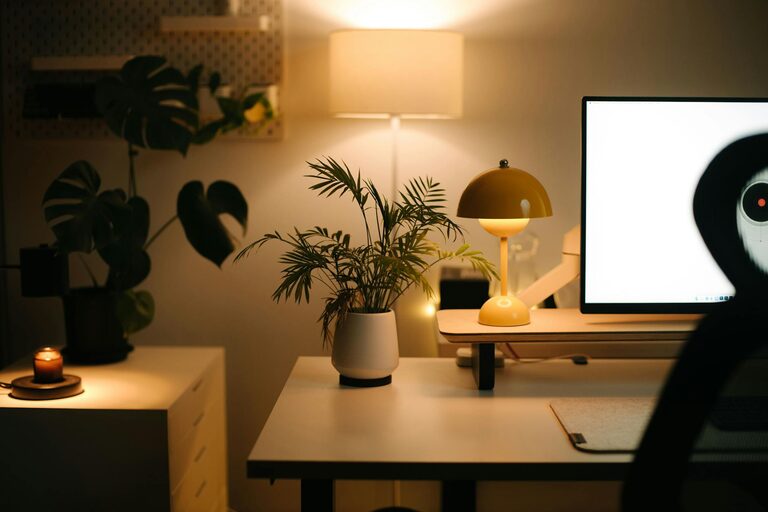
Creating a cozy and inviting home office goes beyond simply placing a desk and chair in a room. With more people working remotely or pursuing personal projects at home, having a workspace that feels comfortable and inspiring can make a big difference in productivity and overall well-being. Here are some practical tips to help you design a home office space that you’ll look forward to spending time in.
Choose the Right Location
Starting with the right spot is key. Ideally, pick a quiet area away from household distractions. If space allows, a separate room is best for maintaining work-life boundaries. If you need to set up in a shared or open space, use room dividers or plants to visually separate the office area.
Prioritize Comfortable and Functional Furniture
Invest in an Ergonomic Chair
An ergonomic chair supports good posture, helping to reduce back and neck strain. Look for adjustable features such as seat height, lumbar support, and armrests. Comfort is essential for long hours of work.
Select a Desk that Fits Your Needs
Choose a desk that suits the type of work you do. Whether it’s a spacious surface for spreading out papers or a compact desk for a laptop, the right size and shape will improve your workflow.
Optimize Lighting
Maximize Natural Light
Natural light boosts mood and reduces eye strain. Position your desk near a window if possible. Use sheer curtains to soften harsh sunlight without blocking it.
Add Task Lighting
Supplement natural light with adjustable desk lamps. Look for warm, soft lighting rather than harsh fluorescent bulbs, creating a cozy atmosphere and reducing glare on screens.
Incorporate Soothing Colors
Colors impact mood and focus. Soft neutrals, pastels, or earth tones bring calmness to your space. If you prefer brighter colors, use them as accents, such as in artwork or cushions, to avoid overstimulation.
Organize with Purpose
Declutter Regularly
A tidy workspace helps clear your mind. Keep only essentials on your desk and store other items in drawers or shelves.
Use Storage Solutions
Incorporate shelves, filing cabinets, or drawer organizers. Clear containers or labeled boxes make it easy to find supplies without creating mess.
Personalize with Meaningful Decor
Adding personal touches makes a space feel welcoming. Display artwork you love, inspiring quotes, or memorable photos. Plants not only add greenery but also improve air quality and add life to your office.
Bring in Cozy Textures
Introduce soft textiles like a plush rug, comfortable cushions, or a throw blanket. These elements add warmth and comfort, making the office feel more inviting.
Manage Sound
If noise is a concern, add rugs or fabric-covered furniture to absorb sound. Noise-cancelling headphones are another effective way to maintain focus.
Create Zones for Variety
Designate different areas for various tasks if space permits. A reading nook with a comfortable chair or a standing desk area can break up your workday and maintain energy.
Keep Technology Neat and Accessible
Use cable organizers or clips to manage cords and prevent clutter. Position frequently used gadgets within easy reach to reduce distractions.
Maintain Good Air Quality
Good ventilation enhances comfort and alertness. Open windows regularly or consider a small air purifier to keep your workspace fresh.
Establish a Routine with Your Space
Treat your home office as a professional area by keeping it organized and ready for work. Start and end your day by tidying up to signal a transition between work and personal time.
—
By thoughtfully combining comfort, organization, and personal style, you can create a cozy and inviting home office space that supports productivity and well-being. Remember, the best workspace is one that feels like your own and adapts to your unique needs.